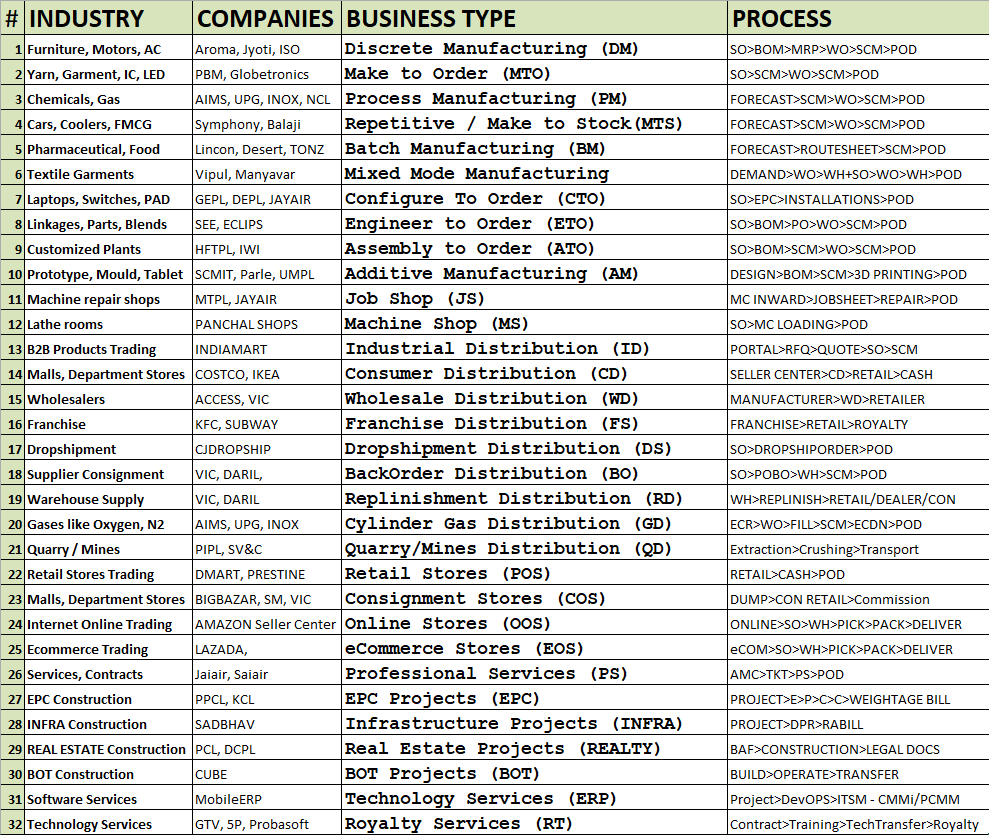
🤖 SoftRobot AI CoWorkers AI Business Operating System - Demo: Reports
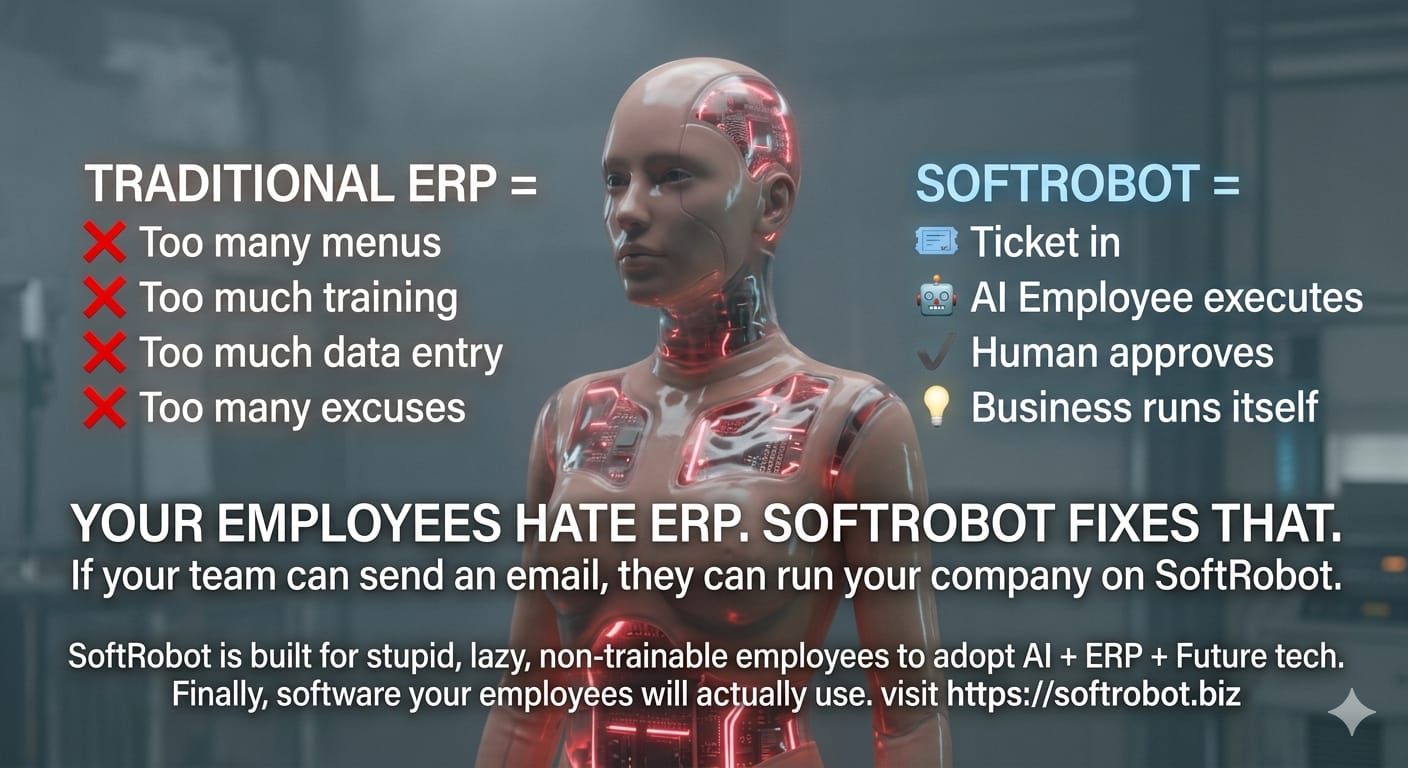
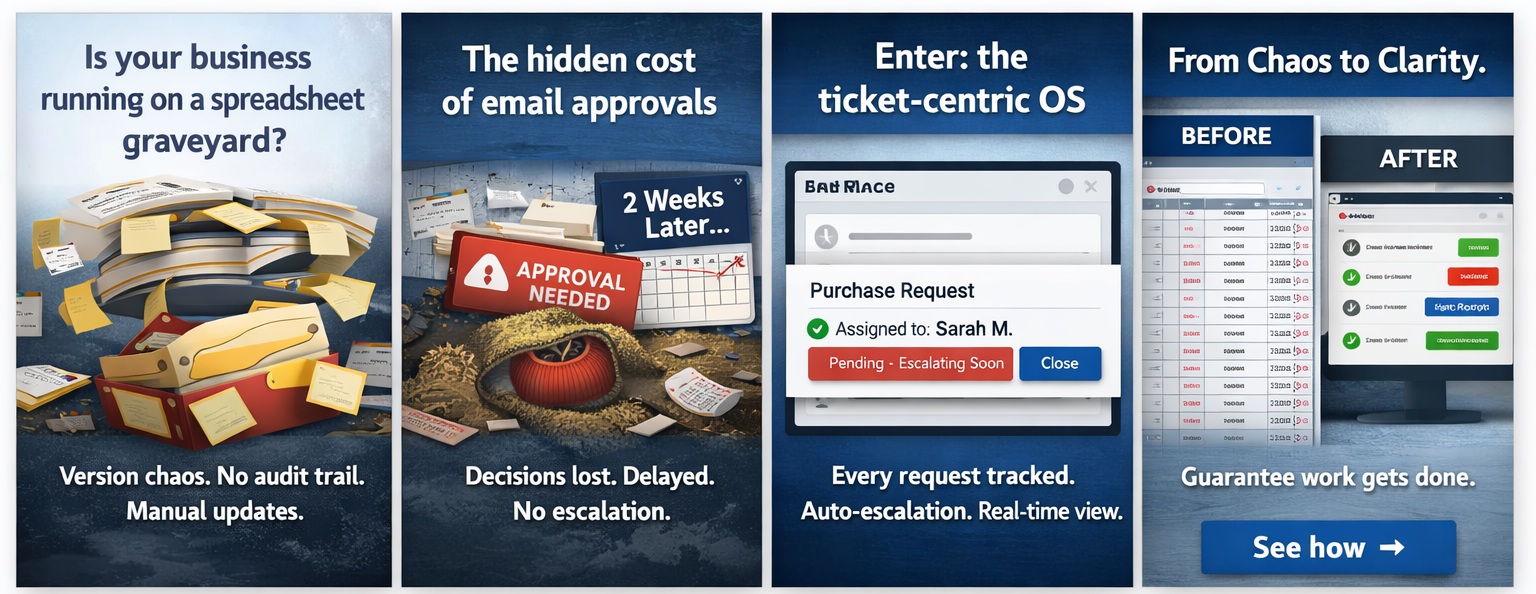
Marketing CoWorker
Campaign2Lead · nurture · analytics
        sequenceDiagram
            autonumber
            participant Mgr as Marketing Manager
            participant T as Ticketing System
            participant M as Marketing AI Agent
            participant DB as Database (Audience, Campaigns)
            participant Channels as Email/Social/Ads
            participant CRM as CRM CoWorker
            participant Analyst as Human Analyst (exception)

            Mgr->>T: create campaign request ticket (Q2 campaign)
            T->>M: route to Marketing AI
            M->>DB: fetch audience segments, past campaign data
            DB-->>M: segments, engagement history
            M->>M: generate campaign plan (budget, creatives, targeting)
            M->>T: update ticket with plan, request approval
            T->>Mgr: "campaign plan ready for review"
            Mgr-->>T: approve / modify
            T->>M: proceed

            M->>Channels: launch campaign (email, social, ads)
            M->>T: create campaign tracking ticket

            par daily / real-time
                Channels->>M: send engagement data (opens, clicks)
                M->>DB: update campaign metrics

                alt lead score threshold crossed
                    M->>T: create new lead ticket(s)
                    T->>CRM: route qualified leads to CRM
                    CRM-->>T: lead accepted
                    T->>M: update campaign attribution
                end

                alt budget near limit or poor performance
                    M->>T: create alert ticket
                    T->>Mgr: "campaign overspend / low ROI"
                    Mgr-->>T: adjust budget / pause
                    T->>M: implement changes
                end
            end

            M->>M: generate campaign performance report
            M->>T: create analytics ticket with dashboard
            T->>Analyst: review insights (if complex)
            Analyst-->>T: notes / recommendations
            T->>Mgr: final campaign summary & ROI
CRM CoWorker
Lead2Order · deal · offer · salesperson
        sequenceDiagram
            autonumber
            participant M as Marketing System
            participant T as Ticketing System
            participant C as CRM AI Agent
            participant DB as Database (Customer 360)
            participant S as Salesperson (Human)
            participant L as Lead / Contact

            M->>T: import campaign responses (batch)
            T->>C: route campaign tickets
            C->>DB: enrich & score leads
            DB-->>C: lead score, history

            alt high-value lead (score > 80)
                C->>T: create priority lead ticket
                T->>S: assign to salesperson
                S->>L: contact & qualify
                L-->>S: positive interest
                S->>T: update ticket: "convert to deal"
                T->>C: convert lead to deal
                C->>DB: create deal / opportunity
                C->>T: link deal ticket to salesperson

                alt deal requires approval (discount > 20%)
                    C->>T: create approval request ticket
                    T->>S: "review deal terms"
                    S-->>T: approve / reject
                    T->>C: proceed with decision
                end

                C->>T: generate offer ticket (quote)
                T->>S: send offer to lead
                S->>L: present proposal
                L-->>S: accept / reject
                S->>T: update offer outcome
                T->>C: close deal or recycle

            else nurture lead (score 30-80)
                C->>T: create nurture campaign ticket
                T->>C: schedule automated emails
                C->>L: send educational content
                L-->>C: engage (clicks/opens)
                C->>DB: update engagement score
                C->>T: log activity in ticket

            else low score ( < 30)
                C->>T: archive lead ticket
            end

            C->>T: update dashboard & sales forecasts
ERP CoWorker
Order2Cash · fulfillment · invoicing · payment
        sequenceDiagram
            autonumber
            participant C as Customer
            participant T as Ticketing System
            participant E as ERP AI Agent
            participant DB as Database (Inventory, Order, GL)
            participant W as Warehouse / Fulfillment
            participant M as Manager (exception)

            C->>T: place order (web/email/EDI/portal)
            T->>E: route order ticket to ERP CoWorker
            E->>DB: check inventory availability & customer credit
            DB-->>E: stock level, credit status

            alt inventory available & credit OK
                E->>T: create fulfillment ticket
                T->>W: pick, pack, ship
                W-->>T: update with tracking number
                T->>E: fulfillment complete
                E->>DB: reserve stock, reduce inventory
                E->>T: create invoice ticket
                T->>C: send invoice + tracking
                C->>T: make payment (credit card / wire)
                T->>E: payment notification
                E->>DB: update GL (cash increase, AR decrease)
                E->>T: close order and invoice tickets
            else out of stock or credit hold
                E->>T: create exception ticket
                T->>M: review order (stock shortage / credit limit)
                M-->>T: approve partial / cancel / suggest alternative
                T->>E: proceed with decision
                E->>DB: allocate available stock or hold
                E->>T: update order status
            end
            E->>T: update dashboards & revenue recognition
PLM CoWorker
Design2Plan · BOM · prototype · production
        sequenceDiagram
            autonumber
            participant PM as Product Manager
            participant T as Ticketing System
            participant P as PLM AI Agent
            participant DB as Database (CAD, BOM, Specs)
            participant E as Engineering Team
            participant MFG as Manufacturing / Production
            participant SCM as Procurement / SCM CoWorker
            participant Q as Quality Assurance
            participant W as Warehouse / Delivery

            PM->>T: create design request ticket (new product idea)
            T->>P: route to PLM CoWorker
            P->>DB: check existing designs, feasibility
            DB-->>P: similar designs, resource availability
            P->>T: create engineering ticket with requirements
            T->>E: assign to engineering
            E-->>T: upload initial design, CAD files
            T->>P: design ready for review
            P->>P: run simulations, cost analysis

            alt design approved (meets targets)
                P->>T: create BOM ticket (Bill of Materials)
                T->>SCM: request component sourcing
                SCM-->>T: components available / lead times
                T->>P: BOM confirmed
                P->>T: create prototype ticket
                T->>MFG: produce prototype
                MFG-->>T: prototype complete
                T->>Q: quality test
                Q-->>T: test results

                alt quality passed
                    P->>T: create production ticket
                    T->>MFG: start manufacturing
                    MFG-->>T: units produced
                    T->>W: deliver to customer / stock
                    W-->>T: delivery confirmation
                    P->>DB: update product lifecycle status
                    P->>T: close all related tickets
                else quality failed
                    Q->>T: failure report
                    T->>P: request design revision
                    P->>T: create revision ticket
                    T->>E: update design
                    E-->>T: revised design
                    P->>P: re-run analysis
                end
            else design rejected / needs changes
                P->>T: request changes
                T->>E: revise design
                E-->>T: updated design
                T->>P: re-evaluate
            end
            P->>T: update dashboards & time-to-market metrics
SCM CoWorker
Plan2Deliver · strategic sourcing · supplier onboarding
        sequenceDiagram
            autonumber
            participant I as Inventory sensor / Demand signal
            participant T as Ticketing System
            participant S as SCM AI Agent
            participant C as Contract/Supplier Memory
            participant V as Vendor Portal/EDI
            participant M as Manager (exception)

            I->>T: low stock / forecast spike
            T->>S: route to SCM CoWorker
            S->>C: query preferred supplier, terms, compliance
            C-->>S: supplier A, price, lead time
            alt within auto‑purchase threshold
                S->>V: send PO / negotiation message
                V-->>S: PO confirmation
                S->>C: update PO, commitment
                S->>T: log purchase
            else strategic / new supplier
                S->>T: create approval request ticket
                T->>M: "approve sourcing from X, cost $Y"
                M-->>T: approve with limit
                T->>S: proceed
                S->>V: onboard & purchase
                S->>C: update supplier database
            end
            S->>I: replenishment in progress
            S->>T: close procurement ticket
AP CoWorker
Procure2Pay · invoice‑to‑pay · auto‑approval · GL posting
        sequenceDiagram
            autonumber
            participant Supplier
            participant T as Ticketing System
            participant AP as AP AI Agent
            participant DB as Database (GL/AP)
            participant Manager

            Supplier->>T: sends invoice (PDF) to ap@co.ai
            T->>AP: routes to AP CoWorker

            alt invoice ≤ $5,000 (auto-pilot)
                AP->>AP: OCR extraction (inv#, PO#, amount, due)
                AP->>DB: match with PO
                DB-->>AP: PO valid, policy = auto-approve
                AP->>DB: schedule payment, post to ledger
                DB-->>AP: confirmation
                AP->>Supplier: email "approved, payment scheduled"
                AP->>T: log & auto-close ticket
            else invoice > $5,000 (manager review)
                AP->>AP: prepare summary + escalation
                AP->>T: create manager ticket
                T->>Manager: "review invoice #1234 for $10k"
                Manager->>T: approve (one-click / voice)
                T->>AP: resume with approval
                AP->>DB: schedule payment, post to GL
                DB-->>AP: done
                AP->>Supplier: payment scheduled email
                AP->>T: close ticket
            end
AR CoWorker
Invoice2Receipt · auto‑bank check · GL posting
        sequenceDiagram
            autonumber
            participant Customer
            participant T as Ticketing System
            participant AR as AR AI Agent
            participant DB as Database (AR subledger, GL)
            participant BankAPI as Bank / Payment Gateway
            participant Collector as Collections Team (exception)

            Customer->>T: sends payment (wire/check/card)
            T->>AR: payment notification + remittance
            AR->>DB: match payment with open invoice(s)

            alt full match & amount = invoice
                AR->>DB: mark invoice paid, update GL (cash+, AR-)
                DB-->>AR: posting done
                AR->>Customer: email receipt
                AR->>T: close invoice ticket
            else partial payment / short-pay
                AR->>AR: calculate remaining balance
                AR->>DB: record partial, keep invoice open
                AR->>Customer: send reminder
                AR->>T: create exception ticket
                T->>Collector: follow-up
            else overpayment
                AR->>AR: create credit memo
                AR->>T: approval ticket for refund
                T->>Collector: approve refund
                Collector-->>T: approved
                AR->>BankAPI: initiate refund
                AR->>DB: update GL
                AR->>Customer: refund advice
            end
            AR->>DB: update aging report
Payroll CoWorker
Work2Pay · attendance · timesheet · OT · site work · payroll
        sequenceDiagram
            autonumber
            participant Emp as Employee
            participant TS as Time System
            participant T as Ticketing System
            participant P as Payroll AI Agent
            participant DB as Database
            participant Mgr as Manager
            participant Pay as Payroll System
            participant Bank as Bank

            Emp->>TS: clock‑in / clock‑out
            TS->>T: create raw attendance ticket
            T->>P: route attendance ticket

            Emp->>T: submit weekly timesheet
            T->>P: route timesheet ticket

            P->>DB: fetch rates, OT rules
            DB-->>P: base rate, OT rate, site bonus

            P->>P: validate & calculate: regular, OT, allowances

            alt hours match & within policy
                P->>T: create wage calculation ticket
                T->>Mgr: auto-approve (under threshold)
            else discrepancy or OT > limit
                P->>T: create approval request ticket
                T->>Mgr: review overtime / site hours
                Mgr-->>T: approve / modify
                T->>P: update calculation
            end

            P->>T: create payroll batch ticket
            T->>Pay: run payroll for approved tickets
            Pay->>Bank: transfer net pay
            Bank-->>Pay: confirmation
            Pay->>T: update payment status
            T->>Emp: send payslip

            P->>DB: archive for compliance
            P->>T: close all tickets
HR CoWorker
Hire2Fire · recruitment → hire → onboarding → appraisal → training → separation
        sequenceDiagram
            autonumber
            participant HM as Hiring Manager
            participant T as Ticketing System
            participant H as HR AI Agent
            participant DB as Database (HRIS)
            participant Cand as Candidate
            participant Team as Onboarding/IT/Training
            participant Emp as Employee
            participant Mgr as Manager

            HM->>T: create job requisition ticket
            T->>H: route to HR AI
            H->>DB: post job to portals
            DB-->>H: applications received
            H->>T: create candidate screening tickets
            T->>H: shortlist for interview
            H->>T: schedule interview tickets
            T->>HM: conduct interviews
            HM-->>T: feedback & selection

            alt candidate selected
                H->>T: create offer ticket
                T->>Cand: send offer letter
                Cand-->>T: accept
                T->>H: offer accepted

                H->>T: create background check ticket
                T->>H: initiate verification
                H-->>T: cleared
                H->>DB: create employee record

                H->>T: create onboarding ticket
                T->>Team: coordinate orientation, IT setup, docs
                Team-->>T: completed
                T->>Emp: welcome email & handbooks

                loop annual / quarterly
                    H->>T: create appraisal ticket
                    T->>Mgr: submit feedback & goals
                    Mgr-->>T: ratings & comments
                    T->>H: calculate increment/promotion
                    H->>DB: update employee record
                end

                H->>T: create training assignment ticket
                T->>Emp: assign courses
                Emp-->>T: completion certificates
                T->>H: update skills database

                alt employee resigns / termination
                    Emp->>T: create resignation ticket
                    T->>H: initiate exit process
                    H->>T: create exit interview ticket
                    T->>Mgr: conduct exit interview
                    Mgr-->>T: clearance
                    H->>T: create final settlement ticket
                    T->>Finance: process final pay
                    H->>DB: deactivate employee record
                end
            else candidate rejects or no hire
                H->>T: close requisition ticket
            end

            H->>T: update HR dashboards & compliance reports
Tax CoWorker
Return2Audit · calculation · filing · payment · notice handling
        sequenceDiagram
            autonumber
            participant ERP as ERP / Finance System
            participant T as Ticketing System
            participant X as Tax AI Agent
            participant DB as Database (Tax Codes, Ledger)
            participant Govt as Government Tax Portal
            participant Bank as Bank
            participant Acc as Accountant / Manager (exception)

            loop daily / real-time
                ERP->>T: post sales/purchase transactions
                T->>X: route transaction tickets
                X->>DB: fetch applicable tax rates (GST/VAT)
                DB-->>X: tax rules
                X->>X: calculate tax liability
                X->>DB: update tax sub-ledger
                X->>T: update transaction ticket with tax
            end

            T->>X: periodic trigger (monthly/quarterly)
            X->>DB: aggregate tax liability by type
            DB-->>X: summary
            X->>X: generate draft return
            X->>T: create return filing ticket
            T->>Acc: review draft return
            Acc-->>T: approve / adjust
            T->>X: proceed

            X->>Govt: file return electronically
            Govt-->>X: acknowledgment (ARN)
            X->>T: update return ticket with ARN

            X->>T: create payment ticket
            T->>Bank: initiate tax payment
            Bank-->>T: payment confirmation
            T->>Govt: verify payment credit
            Govt-->>T: payment acknowledged
            T->>DB: update tax paid status

            X->>Govt: fetch filed returns & payment history
            Govt-->>X: official data
            X->>DB: reconcile with internal records

            alt matches
                X->>T: close all related tickets
            else discrepancy found
                X->>T: create reconciliation exception ticket
                T->>Acc: investigate variance
                Acc-->>T: correction/adjustment
                T->>X: update records
                X->>Govt: file amended return if needed
            end

            Govt->>T: send tax notice (audit/query)
            T->>X: route notice ticket
            X->>DB: pull relevant documents
            X->>X: draft response
            X->>T: send to Acc for review
            Acc-->>T: approve response
            T->>Govt: submit response
            Govt-->>T: notice closed

            X->>T: update dashboards & compliance calendar
GL CoWorker
Accounts · journal · approval · posting · reconciliation · statements
        sequenceDiagram
            autonumber
            participant Src as Source (AP/AR/Payroll/Manual)
            participant T as Ticketing System
            participant G as GL AI Agent
            participant DB as Database (Chart of Accounts, Ledger)
            participant Mgr as Manager / Controller (exception)
            participant Audit as Auditor (read‑only)

            Src->>T: submit journal entry ticket (debits/credits)
            T->>G: route to GL CoWorker
            G->>DB: validate accounts, check balance
            DB-->>G: account types, balances

            alt entry within threshold & balanced
                G->>T: auto‑approve & post
            else entry unbalanced / unusual amount
                G->>T: create approval ticket
                T->>Mgr: review journal entry
                Mgr-->>T: approve / modify / reject
                T->>G: proceed with decision
            end

            G->>DB: post to general ledger
            DB-->>G: posting confirmed
            G->>T: update journal ticket with posting reference

            T->>G: trigger period-end closing
            G->>DB: run trial balance
            DB-->>G: trial balance report
            G->>T: create trial balance ticket

            alt trial balance balanced
                G->>T: close period
            else unbalanced
                G->>T: create investigation ticket
                T->>Mgr: review discrepancies
                Mgr-->>T: corrective entries
                T->>G: post adjustments
            end

            G->>T: create reconciliation tickets (bank, subledgers)
            T->>G: reconcile each
            G->>DB: match GL balances with subledgers
            DB-->>G: variances

            alt no variances
                G->>T: mark reconciled
            else variances found
                G->>T: create exception ticket
                T->>Mgr: investigate variance
                Mgr-->>T: adjustment entry
                T->>G: post adjustment
            end

            G->>T: create financial statement ticket
            T->>G: generate P&L, Balance Sheet, Cash Flow
            G->>DB: retrieve balances
            DB-->>G: data
            G->>T: attach statements
            T->>Audit: notify for review (if required)

            G->>T: update GL dashboards & audit logs
EAM CoWorker
Asset Lifecycle · Maintenance · Depreciation · Disposal
        sequenceDiagram
            autonumber
            participant User as Requester
            participant T as Ticketing System
            participant E as EAM AI Agent
            participant DB as Database (Asset Register)
            participant Proc as Procurement
            participant Maint as Maintenance Team
            participant IoT as IoT / Usage Sensor
            participant Mgr as Manager

            User->>T: request new asset
            T->>E: acquisition ticket
            E->>Proc: purchase requisition
            Proc-->>T: asset received, cost
            T->>E: record asset, set depreciation

            User->>T: request assignment
            T->>E: assignment ticket
            E->>DB: update custodian, location

            loop periodic maintenance
                E->>T: create work order
                T->>Maint: schedule & perform
                Maint-->>T: completed, costs
                T->>E: update maintenance log
            end

            IoT->>T: send usage data
            T->>E: record usage

            User->>T: report breakdown
            T->>E: repair ticket
            E->>DB: check warranty
            alt under warranty
                E->>Maint: schedule repair
            else out of warranty
                E->>T: estimate cost
                T->>Mgr: approve
                Mgr-->>T: approved
                E->>Maint: repair
            end

            loop monthly
                E->>DB: run depreciation
                E->>T: update book value
            end

            User->>T: request disposal
            T->>E: disposal ticket
            E->>DB: calculate gain/loss, archive asset
LMS CoWorker
Shipment → POD · Returns Management
        sequenceDiagram
            autonumber
            participant Order as Order System
            participant T as Ticketing System
            participant L as LMS AI Agent
            participant DB as Database (Shipments)
            participant Carrier as Carrier / 3PL
            participant Driver as Driver
            participant Cust as Customer
            participant WH as Warehouse
            participant Mgr as Manager

            Order->>T: shipment ready
            T->>L: outbound shipment ticket
            L->>DB: check inventory
            L->>Carrier: request rate
            Carrier-->>L: tracking #, label
            L->>T: update with tracking

            loop scanning events
                Driver->>T: scan package
                T->>L: update status
            end

            Driver->>T: delivery attempt
            alt successful
                Driver->>Cust: obtain POD
                Driver->>T: upload POD
                T->>L: confirm delivered
                L->>DB: update status, trigger invoice
            else failed
                Driver->>T: report failure
                T->>L: exception ticket
                L->>Mgr: review
                Mgr-->>T: decision
                T->>Driver: new instructions
            end

            Cust->>T: request return (RMA)
            T->>L: return ticket
            L->>DB: validate policy
            alt approved
                L->>T: generate RMA label
                Cust->>WH: ship back
                WH->>T: receive, scan
                T->>L: log receipt
                L->>WH: inspection ticket
                WH-->>T: result
                alt restockable
                    L->>DB: update inventory
                else defective
                    L->>T: credit / disposal
                end
            else rejected
                L->>T: notify customer
            end
QMS CoWorker
IQC · Line QA · OQC · Warranty
        sequenceDiagram
            autonumber
            participant P as Procurement
            participant Prod as Production
            participant Sales as Sales
            participant T as Ticketing System
            participant Q as QMS AI Agent
            participant QC as QC Team
            participant Mgr as Quality Manager
            participant DB as Database

            P->>T: goods received
            T->>Q: IQC ticket
            Q->>QC: inspect
            QC-->>T: results
            alt pass
                Q->>DB: accept batch
            else fail
                Q->>T: non‑conformance ticket
                T->>Mgr: review
                Mgr-->>T: decision
                Q->>P: return / rework
            end

            Prod->>T: line QA request
            T->>Q: line QA ticket
            Q->>QC: check
            QC-->>T: results
            alt fail
                Q->>T: defect ticket
                T->>Prod: stop / rework
                Prod-->>T: rework done
                Q->>DB: update WIP stats
            end

            Sales->>T: OQC request
            T->>Q: OQC ticket
            Q->>QC: sample inspection
            QC-->>T: results
            alt pass
                Q->>Sales: release for shipment
            else fail
                Q->>T: non‑conformance ticket
                T->>Prod: rework
            end

            Customer->>T: warranty claim
            T->>Q: warranty ticket
            Q->>QC: inspect return
            QC-->>T: report
            alt repair
                Q->>Prod: repair order
                Q->>Cust: return item
            else replace
                Q->>DB: allocate replacement
            else refund
                Q->>Finance: credit note
            else reject
                Q->>Cust: rejection notice
            end
ELM CoWorker
Leave Requests · Approval · Accrual · Calendar
        sequenceDiagram
            autonumber
            participant Emp as Employee
            participant T as Ticketing System
            participant E as ELM AI Agent
            participant DB as Database (Leave Balances)
            participant Mgr as Manager
            participant HR as HR System
            participant Cal as Calendar

            Emp->>T: submit leave request (type, dates)
            T->>E: create leave ticket
            E->>DB: check available balance
            DB-->>E: balance info

            alt balance sufficient & policy auto-approve
                E->>T: auto-approve
                T->>Emp: notification
                E->>DB: deduct balance
                E->>Cal: block dates
            else needs manager review
                E->>T: forward to manager
                T->>Mgr: approve / deny
                Mgr-->>T: decision
                alt approved
                    T->>E: confirm
                    E->>DB: deduct balance
                    E->>Cal: block dates
                else denied
                    T->>Emp: rejection reason
                end
            else insufficient balance
                E->>T: create exception ticket
                T->>Emp: notify shortfall
                Emp->>T: request unpaid / cancel
            end

            Emp->>T: cancel leave request
            T->>E: cancellation ticket
            E->>DB: restore balance
            E->>Cal: free dates

            loop monthly
                HR->>T: accrual run
                T->>E: update balances
                E->>DB: add accrued days
            end

            Emp->>T: view balance
            T->>E: query
            E->>DB: retrieve
            E->>Emp: current balance
TCM CoWorker
Travel Request · Expense Claim · Approval · Reimbursement
        sequenceDiagram
            autonumber
            participant Emp as Employee
            participant T as Ticketing System
            participant TC as TCM AI Agent
            participant DB as Database (Policies, Ledger)
            participant Mgr as Manager
            participant Finance as Finance / Payment
            participant Travel as Travel Desk

            Emp->>T: submit travel request (destination, dates)
            T->>TC: create travel ticket
            TC->>DB: check policy, budget
            DB-->>TC: approval limits
            alt within policy
                TC->>T: auto-approve
                T->>Travel: book travel
                Travel-->>T: booking confirmed
                T->>Emp: itinerary
            else over limit
                TC->>T: forward to manager
                T->>Mgr: approve / modify
                Mgr-->>T: decision
                alt approved
                    T->>Travel: book
                else rejected
                    T->>Emp: rejection
                end
            end

            Emp->>T: submit expense claim (receipts)
            T->>TC: create claim ticket
            TC->>DB: validate against policy
            DB-->>TC: eligible amounts
            alt receipts valid & under limit
                TC->>T: auto-approve
                T->>Finance: process reimbursement
                Finance-->>T: payment confirmed
                T->>Emp: reimbursement advice
            else needs review
                TC->>T: forward to manager
                T->>Mgr: review claim
                Mgr-->>T: approve / reject
                alt approved
                    T->>Finance: pay
                else rejected
                    T->>Emp: rejection reason
                end
            end

            TC->>DB: update project costing
            TC->>T: close all related tickets
🎟️ Why Ticket‑Centric Systems Win vs Email, Office, ERP, Mobile
| Feature / Criteria | 📧 Email‑Centric | 📁 MS Office‑Centric | ⚙️ Menu‑Based ERP (SAP/Oracle) | 📱 Mobile App‑Centric | 🎟️ Ticket‑Centric (SoftRobot) |
|---|---|---|---|---|---|
| Learning curve for average employee | Medium (know email, but no process) | High (Excel/Word skills vary) | Very steep (SAP needs months) | Easy (if app is simple) | ✅ Simplest: create ticket, execute |
| Guaranteed results / accountability | ❌ Emails get lost, ignored, buried | ❌ Files shared, no tracking | ⚠️ Transactions logged, but no ownership | ⚠️ Notifications, but no forced closure | ✅ Every ticket assigned, tracked, must be closed |
| Escalation when work delayed | ❌ No automatic escalation | ❌ None | ⚠️ Some workflows, but complex | ❌ Rarely built-in | ✅ Auto‑escalation by SLA, priority, aging |
| Monitoring & dashboards | ❌ Manual, impossible at scale | ⚠️ Manual Excel reports | ✅ Built‑in but rigid | ⚠️ Basic push notifications | ✅ Real‑time dashboards, aging, productivity |
| Action on employees (performance) | ❌ Subjective, no metrics | ❌ No native tracking | ⚠️ Some logs, hard to extract | ⚠️ Limited to app usage | ✅ Clear metrics: tickets closed, SLA adherence |
| Audit trail & compliance | ❌ Emails can be deleted | ❌ Version chaos | ✅ Strong audit logs | ⚠️ Depends on app | ✅ Immutable ticket history, full trace |
| Integration with AI / automation | ⚠️ Plugins, but limited | ⚠️ Macros, VBA (brittle) | ⚠️ Heavy IT projects | ✅ Some API possible | ✅ Native AI agents, auto‑routing, auto‑resolve |
| Exception handling | ❌ Forward to manager – lost | ❌ Email attachment ping‑pong | ⚠️ Workflow, but rigid | ❌ Often ignored | ✅ Auto‑create exception ticket, manager notified |
| Cross‑department collaboration | ⚠️ CC/BCC – chaotic | ❌ Shared drives – version hell | ⚠️ Modules siloed | ⚠️ Limited to app | ✅ Tickets move between coworkers seamlessly |
| Employee training cost | Low (everyone knows email) | Medium (Excel skills vary) | Very high (SAP certification) | Low (intuitive) | ✅ Lowest: only "create & execute ticket" |
| Guarantee work is done | ❌ No guarantee | ❌ No guarantee | ⚠️ Transaction done, but responsibility? | ⚠️ If user opens app | ✅ Ticket must be closed – SLA enforced |
| Scalability for 1000+ employees | ❌ Inbox collapses | ❌ File chaos | ✅ Scalable but costly | ✅ Scalable with backend | ✅ Highly scalable, queue‑based |
❌ Why Email Fails
- ✗ No ownership – emails sit unread
- ✗ No escalation – urgent? resend
- ✗ No metrics – who is slacking?
- ✗ Easily buried – out of sight, out of mind
- ✗ Audit nightmare – deleted = lost
❌ Why MS Office Fails
- ✗ Version control chaos
- ✗ No automated workflows
- ✗ Relies on manual updates
- ✗ No real‑time tracking
- ✗ Employees hide in spreadsheets
⚠️ Why Traditional ERP Fails
- ✗ Months of training needed
- ✗ Rigid menus – errors common
- ✗ Employees fear using it
- ✗ Expensive consultants
- ✗ Still requires email for exceptions
✅ Why Ticket‑Centric Wins
- ✓ Only one skill: create & execute ticket
- ✓ Every task assigned, tracked, closed
- ✓ Auto‑escalation if delayed
- ✓ Real‑time dashboards – who did what
- ✓ Full audit trail, no hiding
- ✓ AI agents auto‑resolve common tickets
🎯 The Core Insight:
Most employees only know email – but email is a black hole. Work gets lost, forgotten, or deliberately ignored. There's no accountability, no escalation, no way to prove it was done.
Ticket‑centric systems flip the model: Every request, task, or approval becomes a ticket. The employee's only job is to pick a ticket, execute it, and close it. If they don't, it escalates. Managers see dashboards of who is performing and who isn't.
No complex ERP menus, no Excel macros, no email chains. Just tickets. It's the only system where results are guaranteed because work cannot disappear.
⚖️ AI Platform Comparison Codeless vs Low-Code vs AI Coding
— the three paradigms for building intelligent business systems.
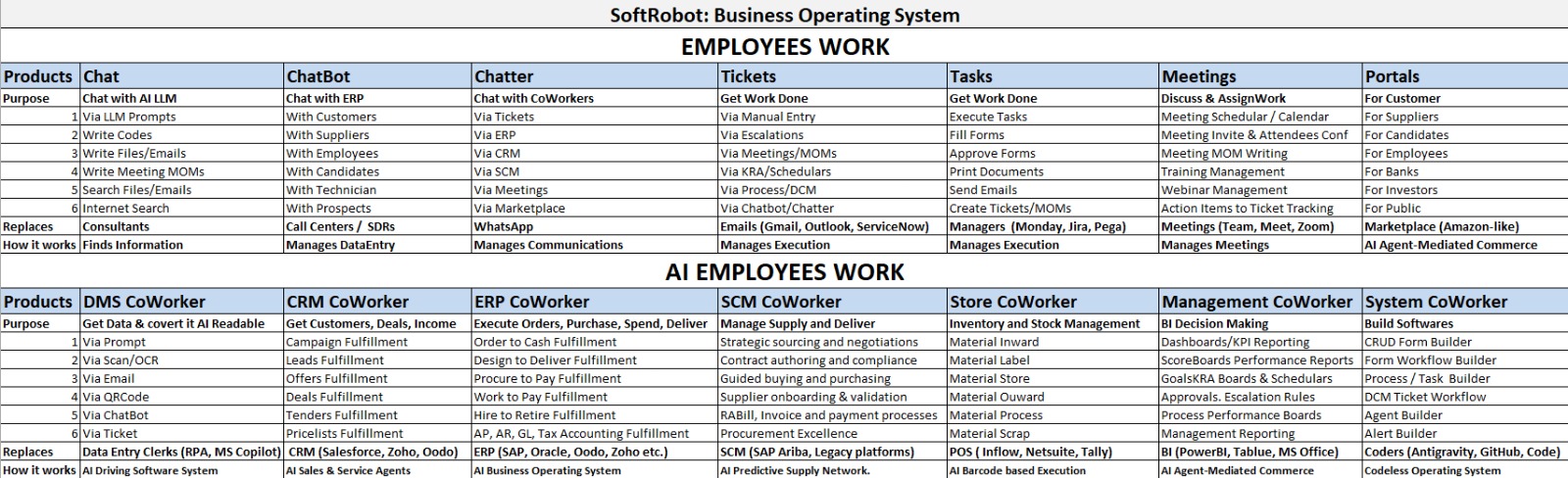
📊 Only one software any employee needs to learn: creation and execution of tickets. No SAP complexity, no email chaos, no spreadsheet hell.
✅ Guaranteed results · Escalation · Monitoring · Accountability · AI‑ready
Get your own AI Business Operating system impemented by us. We are company with 25 years experience, 10 over countries and 20 over industries.